Showing posts with label octave. Show all posts

Friday, October 29, 2010

Zooming in GNU Octave under Ubuntu

Yay, I finally solved my problem! I can now zoom in Octave plots using the mouse (currently on Ubuntu 10.04 LTS).


...but here it is so you don't have to scroll through all of that:

Build gnuplot with:
./configure --enable-volatile-data
make
sudo make install

and if necessary change the gnuplot's path in octave with:
gnuplot_binary ("/usr/local/bin/gnuplot") 


Just use the right mouse button to select the first point, then click a second time to select the other corner. Whala! Press "a" to go back to the original zoom level, and press "h" to dump some help out to the Octave terminal window.

Enjoy!

Saturday, January 30, 2010

GNU Plot and Octave

Octave is a MatLab-compatible interpreter, which uses Gnuplot to display graphics. I'll now show you how to capture the commands sent from Octave to Gnuplot. This is useful for learning how to drive Gnuplot, among other uses.

First, launch Octave, and then enter the following command:

octave> plot(sin(0:0.1:30),'LineWidth',3)

You can now regenerate this plot, but direct the plotting commands to a file:

octave> drawnow("svg", "drawing.svg", false, "drawing.gp")

In this case, we've chosen the SVG "terminal", so that a scalable-vector-graphics image is created in the current directory. The Gnuplot commands used to create this image can be found in the drawing.gp file.

Here's the drawing.svg image:
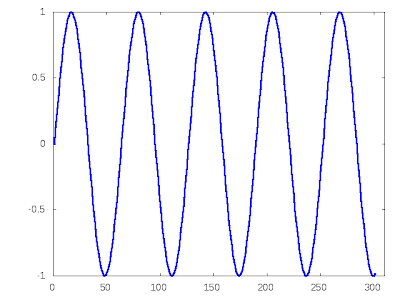
(blogger.com wouldn't actually let me upload an .svg, so I had to render it to a .png first, but you get the idea)

In another terminal window, you can feed the Gnuplot commands to Gnuplot, to recreate this image:

> gnuplot drawing.gp

If you don't want to create an image file, but instead want to view the image in a window, do this instead:

octave> drawnow("x11", "/dev/null", false, "drawing.gp")

Then launch Gnuplot, and enter this command:

gnuplot> load 'drawing.gp'

Whala!

Saturday, September 13, 2008

MatLab vs Octave Benchmark

I just thought I'd share some informal benchmarking results with the world. This is with Octave 3.0.0 and MatLab 2008a. I'm running on Ubuntu Linux, 8.04, 64-bit, with an AMD Athlon X2, 2.2 GHz processor, and 2 GB of RAM. I wrote a little modulator-demodulator thingy, which is not very fancy at all. Its just a couple of for-loops, some non-vectorized Euclidean-distance calculations, and some comparisons.

Octave : 7.5 Seconds
MatLab : 1.5 Seconds

That's a 5x speed advantage for MatLab. I like open-source stuff, and Octave is lighter-weight, so I'll still use it, but MatLab sure shows off the fact that it has been low-level optimized. When I need a 5x speed boost, I'll certainly power up MatLab, and when I need way more than that, well, then its time to go to C++, and move things over to my cluster :)